
Many applications of 'smart' devices revolve around controlling the flow of power to an existing home appliance. From internet-connected light switches to devices like Google's Nest thermostat, it's a popular market - but one that the beginning hobbyist may shy away from thanks to perfectly-understandable concerns regarding trial-and-error engineering mixing poorly with 240V AC electricity supplies.
Developer Peter Bailey has come up with a neat workaround for these concerns, however: build an Arduino-powered RF transmitter which communicates with a cheap, off-the-shelf remote-controlled passthrough mains relay. The result: the ability to control an attached mains-powered device through any interaction you can sense, but without the risks associated with wiring things directly into the mains supply itself.
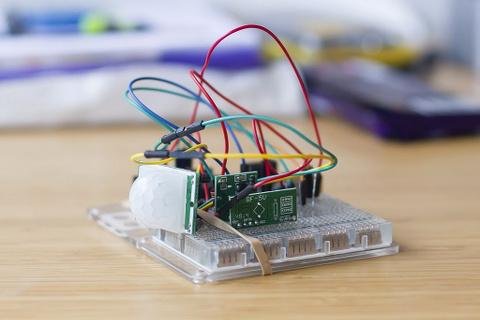
Peter's particular implementation is relatively simple: an RF transmitter, operating in the same 433MHz frequency band as the pass-through relay, was used to capture the signal from the supplied remote control and store it for replay. When an infra-red motion sensor connected to the Arduino is triggered and a light-dependent resistor (LDR) confirms that the room is dark the signal is transmitted, picked up by the socket, and the connected device - in this case a lamp - is switched on.
Using the same simple approach as Peter, it would be possible to control any of a number of mains-powered devices using input from various sensors. A temperature or humidity sensor could be used to switch a cheap electric heater on and off, for example; when combined with a Bluetooth, Wi-Fi or Ethernet transceiver, the socket could be linked to a smartphone, tablet, or computer - turning the cheap remote-control socket into the equivalent of a far more costly 'smart' device.
A remote control light was a really good idea when I bought the RF plug sockets. But having to fumble around finding the remote in a dark room was annoying and dangerous (once knocked over a glass of water onto a power outlet). So I decided to hack it and connect a motion sensor. Here’s how I did it.